A garage door remote or keypad that suddenly quits is one of the most common calls we get in Riverside and across the Inland Empire. The good news is that most of these failures come down to a handful of predictable causes, and many can be fixed in minutes without a service call. Here is what actually causes keypad and remote problems, and how to tell when the issue is bigger than a dead battery.
Why Remotes and Keypads Fail More Often Here
Our local climate is hard on small electronics. Triple digit summer heat bakes remotes left on dashboards and keypads mounted on sun facing door frames, which shortens battery life and can warp keypad buttons over time. Santa Ana wind events also kick up dust that works its way into keypad contacts and remote buttons, causing a button that seems to work one day and not the next.
The Most Common Causes
- Dead or corroded batteries in the remote or wireless keypad
- A keypad that lost its programming after a power outage or an opener reset
- Interference from a neighbor's opener, a solar inverter, or another nearby radio frequency device
- A remote used too far from the opener's receiving antenna, or an antenna knocked loose inside the opener housing
- Worn contacts on an older keypad, especially one exposed to direct sun and rain for years
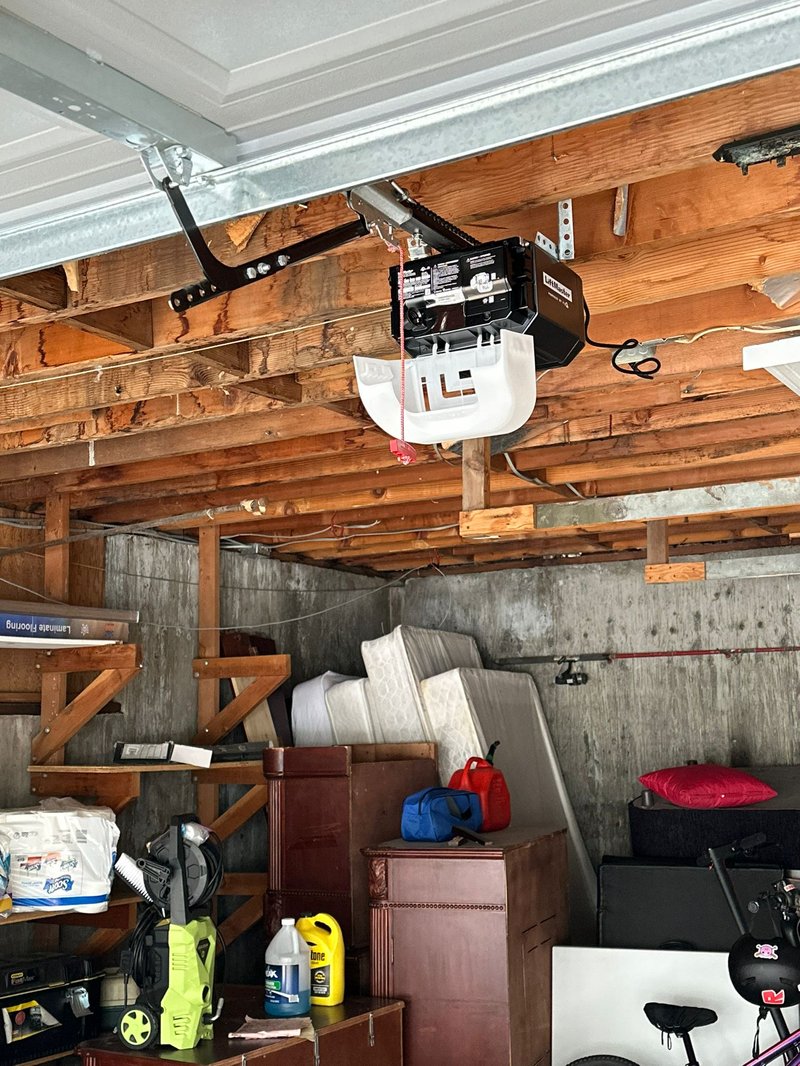
- The opener's logic board itself failing, which affects every remote and keypad at once
Troubleshooting Steps to Try Before You Call Anyone
Work through these in order. Most keypad and remote issues are solved in the first three steps.
- Replace the battery in the remote and in the wireless keypad, even if it still seems to have some life left
- Stand close to the opener and test the remote. If it works up close but not from the driveway, the antenna or receiver is weak, not the remote itself
- Reprogram the remote and keypad following your opener brand's instructions, which usually means pressing the learn button on the opener motor unit
- Check for anything new near the garage, like a solar battery system, a new baby monitor, or a neighbor's new opener, that could be creating interference
- Inspect the keypad for cracked housing, corrosion on the terminals, or loose wiring if it is a wired model
If reprogramming does not hold, meaning the remote works for a day and then stops again, that is usually a sign the opener's receiver or logic board is failing rather than a simple battery or programming issue. A professional opener inspection can confirm whether the receiver needs replacing or the whole unit has reached the end of its service life.
When the Remote Works But the Door Does Not Move
Sometimes the keypad beeps and the remote light flashes, but the door itself does not budge. This points away from the remote entirely. A door that has jumped its track, a broken spring, or a safety sensor that is misaligned or dirty will all stop the opener from running even when it receives a perfectly good signal. If your door hesitates, reverses, or will not move at all even though the remote clearly fired, do not keep pressing the button, since repeated attempts can strain the motor or damage cables. Our off track repair technicians can quickly tell you whether the remote, the opener, or the door mechanism itself is the real problem.
Wired Keypads vs Wireless Keypads
Older homes in Riverside sometimes still have a wired keypad running back to the opener through a thin two wire cable stapled along the garage ceiling. Wired keypads do not use batteries, so if one stops working the cause is almost always a broken or corroded wire connection, often where the cable meets the terminal screws on the opener itself. Wireless keypads, far more common today, run on a single battery and communicate the same way a remote does. Knowing which type you have changes where you should look first: wiggle test the wire terminals on a wired unit, or swap the battery on a wireless one.
Programming Tips Worth Knowing
Most openers manufactured in the last fifteen years use rolling code technology, which changes the signal every time you press the remote for security. This means you cannot simply copy a code from an old universal remote bought online, it has to be learned directly from your specific opener unit. Keep the opener's manual or model number written down somewhere, since many homeowners lose the paperwork and then struggle to find the programming steps years later. If you own a vacation rental or manage a property for family, label the learn button location with a small piece of tape so a future tenant or house sitter is not stuck locked out.
Preventing the Next Keypad Failure
A few habits go a long way toward keeping remotes and keypads reliable in our climate. Choose a keypad location with at least partial shade if you have the option, since direct west facing sun exposure ages the housing and buttons faster than any other factor. Replace batteries on a schedule, such as when you change clocks for daylight saving, rather than waiting for a failure. Wipe down the keypad buttons occasionally to clear dust, especially after a Santa Ana wind event. Bundling this into a broader annual maintenance visit means a technician checks the opener's receiver, sensors, and keypad wiring at the same time, catching small issues before they strand you outside your own garage.
Getting Help When You Need It
If you have run through the basics and the keypad or remote still will not cooperate, it is worth having a technician take a look rather than replacing parts by guesswork. We offer free written on site quotes and can usually tell within minutes whether the fix is a simple receiver swap or something more involved. Use our online cost calculator to get a ballpark idea before you call, or reach us directly at (909) 264-7415 any time, day or night, since we operate 24/7 across Riverside and the surrounding Inland Empire. You can also book an appointment online at a time that works for your schedule.
Related services
When it is time to bring in a pro.